本文将总结Superset4.0.2如何免登录嵌入自定义网站iframe中。
1: 开启Superset免密码登录。
2: Nginx安装及跨域配置。
3: 自定义网站演示iframe嵌入Superset
4: URL传参数实现动态查询
1: 开启Superset免密码登录。
修改superset配置文件 /usr/python3.11.0/bin/superset_config.py,添加内容:
HTTP_HEADERS = {'X-Frame-Options': ' ALLOWALL'}
WTF_CSRF_ENABLED = False
修改superset配置文件 /usr/python3.11.0/lib/python3.11/site-packages/superset/config.py,添加内容:
PUBLIC_ROLE_LIKE: Optional[str] = "Gamma"
然后登录superset进去List Roles管理,给Public添加以下权限:
can explore on Superset
can explore json on Superset
all database access on all_database_access
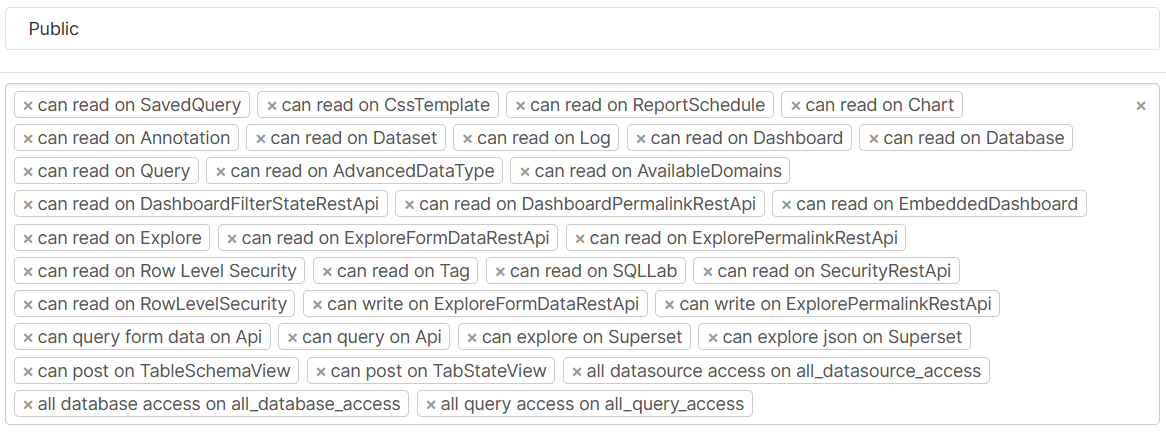
重启superset后再进去,检查是否需要登录。
export FLASK_APP=superset
superset run -h 0.0.0.0 -p 8088 --with-threads --reload --debugger
2: Nginx安装及跨域配置。
Nginx安装比较简单,直接yum install nginx
关闭SELINUX,vi /etc/selinux/config,或者可以临时关闭 setenforce 0
SELINUX=disabled
修改nginx配置文件:vi /etc/nginx/nginx.conf 添加iframe嵌入和跨域允许
server {
listen 80;
server_name localhost;
root /usr/share/nginx/html;
# Load configuration files for the default server block.
#include /etc/nginx/default.d/*.conf;
location / {
proxy_hide_header X-Frame-Options;
add_header X-Frame-Options ALLOWALL;
add_header 'Access-Control-Allow-Origin' '*';
add_header 'Access-Control-Allow-Methods' 'GET, POST, OPTIONS';
add_header 'Access-Control-Allow-Headers' 'DNT,X-CustomHeader,Keep-Alive,User-Agent,X-Requested-With,If-Modified-Since,Cache-Control,Content-Type,Authorization';
if ($request_method = 'OPTIONS') {
add_header 'Content-Type' 'text/plain; charset=utf-8';
add_header 'Content-Length' 0;
return 204;
}
proxy_pass http://192.168.1.4:8088;
}
error_page 404 /404.html;
location = /40x.html {
}
error_page 500 502 503 504 /50x.html;
location = /50x.html {
}
}
修改完配置文件后重启nginx
systemctl restart nginx
cat /var/log/nginx/error.log
3: 自定义网站演示iframe嵌入Superset
从superset拿到需要嵌入的图表的Embed Code
<iframe width="600" height="400" seamless frameBorder="0" scrolling="no" src="http://192.168.1.4:80/superset/explore/p/DZYqpGnWr4v/?standalone=1&height=400" > </iframe>
注意,需要讲src的网址改成nginx的ip及端口
然后把上面的iframe代码加入自定义开发的网页中,即可打开。
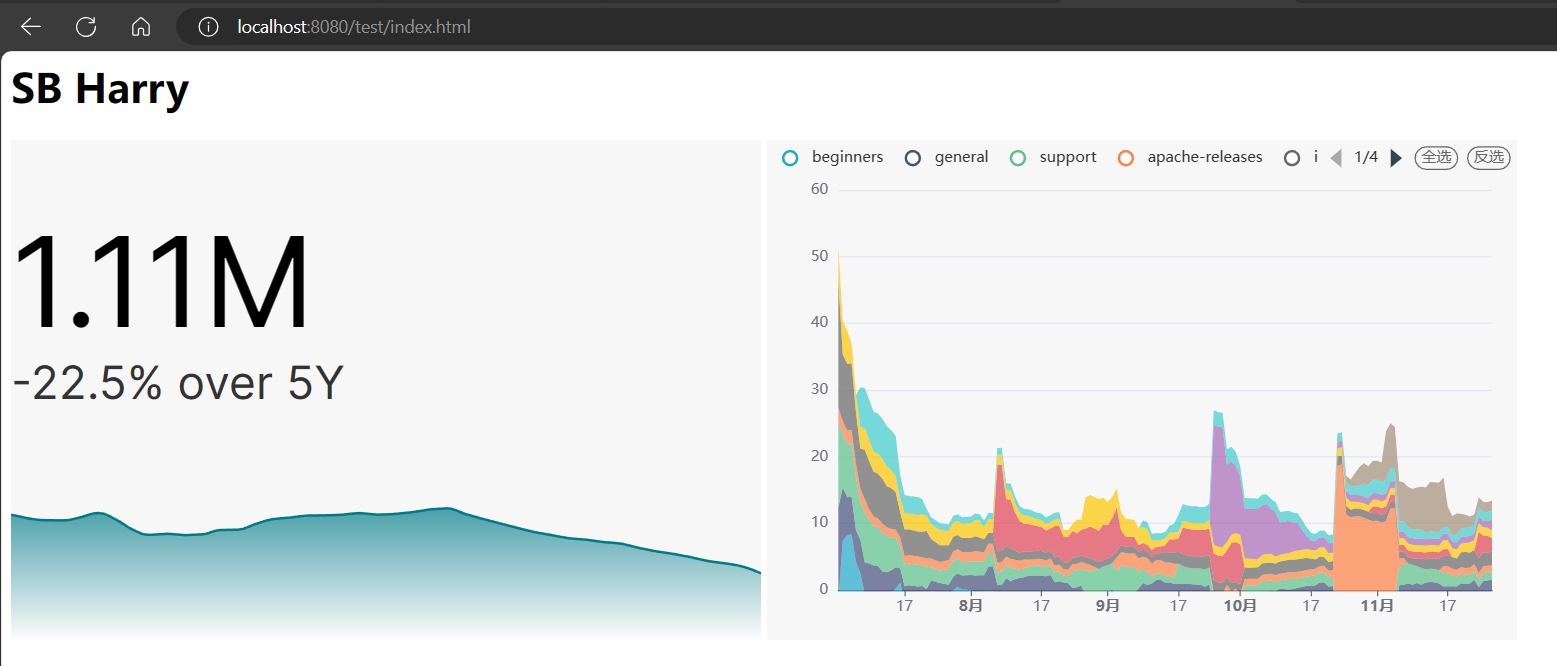
4: URL传参数实现动态查询
在配置文件修改内容:vi /usr/python3.11.0/bin/superset_config.py"ENABLE_TEMPLATE_PROCESSING": True
然后在dataset修改SQL,比如:
SELECT *
FROM tbl
WHERE dttm_col > '{{ from_dttm }}' and dttm_col < '{{ to_dttm }}'
参考网站
https://superset.apache.org/docs/configuration/sql-templating/#jinja-templates